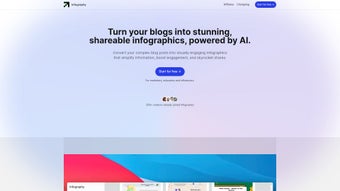

Download Infography – AI‑Powered Infographic Builder, Free & Secure
Infography is the newest AI‑driven infographic creator that turns any text‑heavy content into eye‑catching visual stories in seconds. Whether you’re a marketer, educator, blogger, or small‑business owner, this tool lets you produce professional‑grade graphics without learning complex design software. The platform blends automatic content extraction, SEO‑focused metadata, and a massive template library into a single, cross‑platform solution that runs on Windows, macOS, Linux, Android, iOS, and any modern browser. In the sections below you’ll discover an in‑depth overview, a complete feature breakdown, step‑by‑step installation with system requirements, a practical FAQ, and a final call‑to‑action that will help you decide if Infography is the right visual‑content partner for your workflow.
Overview & Core Benefits
In today’s fast‑paced digital environment, readers skim articles and visual cues dominate social feeds. Infography tackles this challenge by automatically extracting the most important points, statistics, and narrative flow from any source—whether it’s a blog post, research paper, or product sheet—and re‑imagining them as a cohesive visual story. The AI engine analyses headings, bullet points, tables, and even embedded URLs to generate a layout composed of icons, charts, timelines, and custom illustrations.
Because every infographic is exported with built‑in SEO metadata (alt‑text, schema markup, and keyword‑rich titles), your visuals not only look great but also help boost organic traffic. The platform is designed for speed and security: AI processing happens in the cloud, data is encrypted in transit (TLS 1.3) and at rest (AES‑256), and regular model updates keep designs aligned with the latest trends. Users report a 60‑80 % reduction in time spent on design tasks, allowing them to focus on content strategy and audience engagement.
Infography also supports brand consistency through a brand‑kit feature that stores your colors, fonts, and logos. Collaboration mode enables teams to comment, approve, and iterate on drafts in real time, cutting down approval cycles. The free tier provides unlimited AI conversions, core templates, and basic SEO tools, while the optional Pro plan unlocks premium assets, high‑resolution exports, and priority support. This combination of AI automation, SEO awareness, and collaborative flexibility makes Infography a standout choice for anyone looking to amplify the impact of their written content with minimal effort.
Features, Pros & Cons
Feature List
- AI‑Driven Content Extraction: Scans any text source, identifies key ideas, and converts them into visual modules.
- 200+ Professional Templates: Covers marketing, education, finance, health, and more, all fully customizable.
- Custom Icon & Chart Generator: Auto‑suggests the best chart type and provides a vector icon library.
- SEO‑Optimized Metadata: Generates alt‑text, meta titles, and schema markup for each infographic.
- One‑Click Social Export: Formats optimized for Facebook, Instagram Stories, LinkedIn, and Twitter.
- Brand Kit Integration: Upload brand colors, fonts, and logos to maintain visual consistency.
- Collaboration Mode: Real‑time commenting and approval workflow for teams.
- Secure Cloud Storage: Encrypted project storage compliant with GDPR and CCPA.
- Regular AI Model Updates: Monthly refreshes keep designs fresh and language‑aware.
- Free Tier & Pro Plan: Core features free; Pro adds unlimited exports, premium templates, and priority support.
Pros
- Fast AI‑powered conversion saves hours of manual design work.
- Extensive template library fits many industries and use cases.
- Built‑in SEO features improve search visibility.
- Cross‑platform availability (Windows, macOS, Linux, Android, iOS, Web).
- Secure cloud storage with end‑to‑end encryption.
- Generous free tier suitable for individuals and small teams.
- Regular AI updates ensure modern design trends.
Cons
- Advanced customization (e.g., complex animations) is limited to the Pro plan.
- Dependence on internet connectivity for AI processing may affect users with slow networks.
- Learning curve for non‑technical marketers when navigating brand‑kit and SEO settings.
Installation, Usage & Compatibility
Step‑by‑Step Installation & First‑Run Guide
- Download the Installer: Visit infography.com/download. The site auto‑detects your OS and offers the correct installer (Windows .exe, macOS .dmg, Linux Snap, or direct web link for mobile).
- Create an Account: Launch the installer, register with email or single‑sign‑on (Google, Microsoft). Verify via email to secure your account.
- Onboarding Wizard: Upload your brand kit, choose default export dimensions, and set language preferences.
- Import Content: Click “New Project,” paste a URL or raw text. The AI begins parsing within seconds and proposes a visual layout.
- Customize Layout: Drag‑and‑drop modules, replace icons, adjust chart colors, or switch templates. Live preview updates instantly.
- SEO Enhancements: In the “SEO” tab, review auto‑generated meta titles, descriptions, and alt‑text. Tweak to match your keyword strategy.
- Export & Share: Choose PNG, JPEG, SVG, or PDF. Select a social preset for optimal dimensions, then download or copy a shareable link.
- Save & Archive: Projects are automatically saved to encrypted cloud storage. Access, edit, or duplicate any past infographic at any time.
System Requirements & Supported Platforms
Infography offers native clients for the following operating systems and a responsive web app that works on any modern browser:
- Windows 10 and later (64‑bit)
- macOS 11 (Big Sur) and later
- Linux distributions (Ubuntu 20.04+, Fedora 34+ via Snap)
Mobile apps are available for Android 8.0+ and iOS 13+. The web version runs on Chrome, Edge, Firefox, and Safari without additional plugins.
Recommended hardware for optimal performance:
- CPU: Dual‑core 2 GHz or faster (quad‑core recommended for large data sets)
- RAM: 4 GB minimum (8 GB preferred)
- Graphics: Integrated GPU with OpenGL 3.3 support
- Disk Space: 500 MB for application files plus storage for projects
- Internet: Stable connection ≥5 Mbps for AI processing
All data transfers use TLS 1.3 encryption, and stored files are protected with AES‑256 encryption, ensuring compliance with GDPR, CCPA, and other privacy regulations.
Frequently Asked Questions
Is Infography really free to use?
Yes, Infography offers a robust free tier that includes unlimited AI conversions, access to core templates, and basic SEO metadata. Premium features such as advanced branding, high‑resolution exports, and priority support are part of the optional Pro subscription.
Can I import existing infographic designs for editing?
The platform currently supports importing SVG files, allowing you to edit vector elements directly within Infography. Other formats like PNG or JPEG can be used as background layers, but they are not fully editable.
How does Infography ensure my data remains secure?
All data transferred between your device and Infography’s servers is encrypted with TLS 1.3. Projects stored in the cloud are encrypted at rest using AES‑256. The company adheres to GDPR and CCPA standards, and you can delete any project permanently from your account dashboard.
What file formats can I export my infographics in?
Infography supports PNG, JPEG, SVG, and PDF exports. The web version also offers direct sharing links optimized for social platforms, and the mobile apps can export to the device’s photo library.
Does Infography work with CMS platforms like WordPress?
Yes, there is a WordPress plugin that lets you embed generated infographics directly into posts. The plugin pulls your Infography account data via API, so any updates you make in the Infography dashboard automatically reflect on your site.
Conclusion & Call to Action
In a world where visual storytelling reigns supreme, Infography delivers a compelling mix of AI intelligence, design flexibility, and SEO‑focused features—all wrapped in a secure, cross‑platform package. Whether you’re a solo blogger looking to boost shareability, a marketing team aiming to streamline content production, or an educator simplifying complex topics, the free tier gives you enough power to get started, while the Pro plan scales with your ambitions. The seamless integration of keyword‑rich metadata ensures that your infographics not only look great but also help improve search rankings and referral traffic. By eliminating the need for costly design software and extensive manual layout work, Infography saves both time and money, allowing you to focus on creating valuable, engaging content.
Ready to transform your written content into captivating visuals? Download Infography now and start crafting share‑worthy infographics in minutes. Experience AI‑driven design, secure cloud storage, and watch your engagement metrics climb. Join thousands of creators who have already upgraded their content strategy with Infography—your audience—and your SEO will thank you.



.png)



